
What's impossible?
I think there is no impossible thing. It is in ourself whether it makes possible.
The meaning is completly changed if we add '(single quotation mark) into the word of "Impossible".
"I'm possible with you". Let's find what we can.
According to the market flows, most people has at least one more smart and portable devices which can play video contents.
By being serviced both from evolved devices and network (not only for WiFi but also 4G, 5G network),
subscribers tend to use the contents services such as music, movie without file download on their own devices.
And also, contents providers including OTT (Over The Top) vendors are increasing to develop more high quality contents under this situation.
In this article,
I would like to share my experience about RTSP (Real Time Streaming Protocol) based Live Streaming.
For playing video contents as RTSP protocol, we would like to use "VLC Media Player" as server.
(https://www.videolan.org/vlc/)
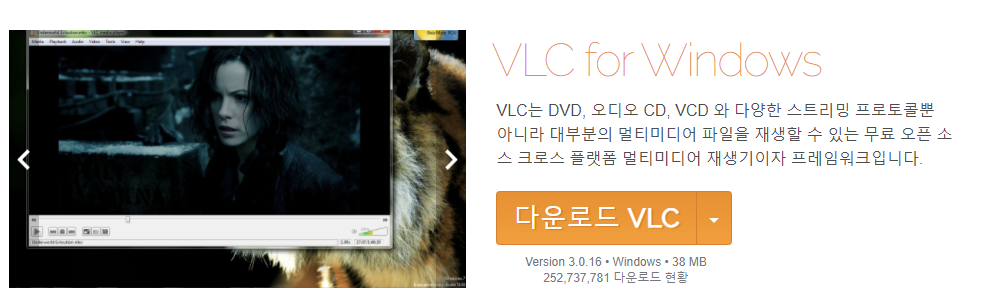
In case of client for RTSP protocol, MX Player can be used in portable device. So, I will explain it on the basis of MX Player in this article.
1) VLC Setting

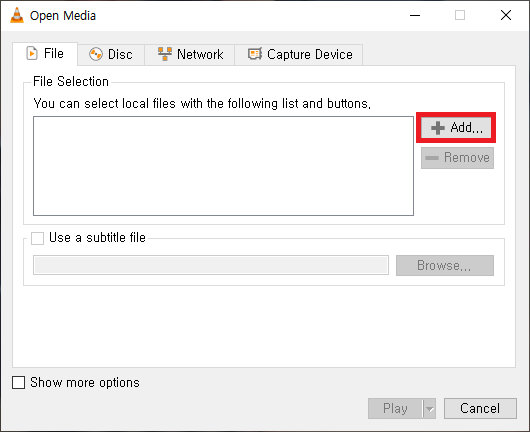


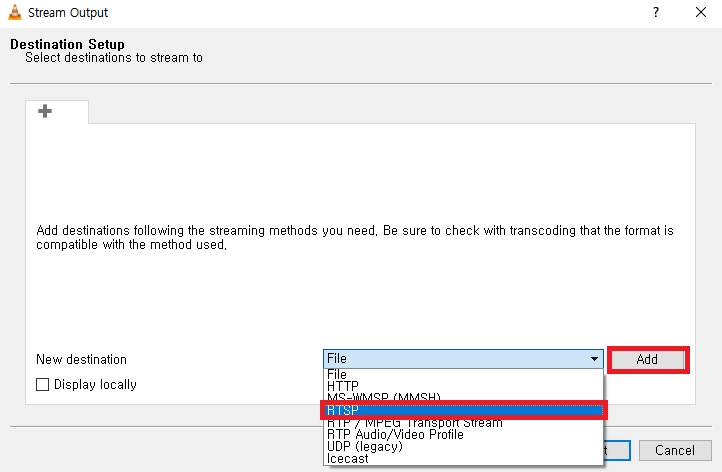

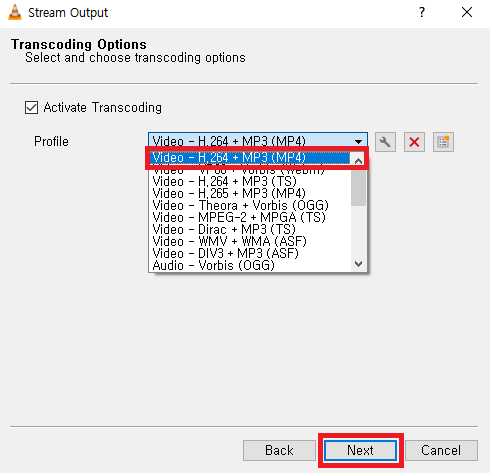
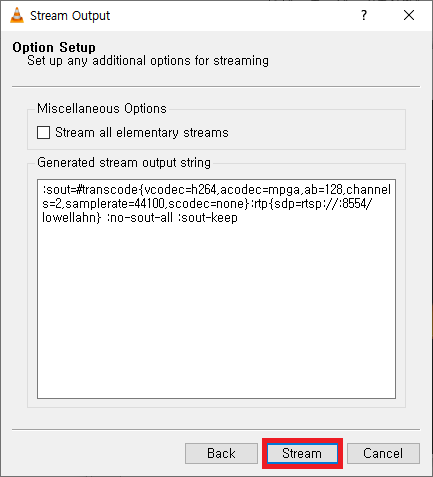
To be continue...(wroted on 19th, Mar.)
3) Sample Code for VLC Control for RTSP Streaming
public int StartVlcStreaming(string arguments, bool IsShown = false, Stream stdout = null, Stream stderr = null)
{
    try
    {
        Process Vlc = new Process();
        TransferArguments(arguments);
        Vlc.StartInfo.FileName = Path.Combine(vlcPath, "vlc.exe");
        Vlc.StartInfo.WindowStyle = ProcessWindowStyle.Hidden;
        Vlc.StartInfo.CreateNoWindow = true;
        Vlc.StartInfo.UseShellExecute = false;
        Vlc.StartInfo.ErrorDialog = false;
        Vlc.StartInfo.RedirectStandardOutput = true;
        Vlc.StartInfo.RedirectStandardError = true;
        Vlc.StartInfo.Arguments = arguments;

        using(FileStream fs = new FileStream(Path.Combine(systemPath, "VlcStreamingOutputLog.log"), FileMode.OpenOrCreate, FileAccess.Write))
        {
            using (StreamWriter writer = new StreamWriter(fs))
            {
                writer.WriteLine("Vlc control arguments : " + Vlc.StartInfo.Arguments);
            }
        }
        Vlc.OutputDataReceived += new DataReceivedEventHandler(UpdateReceivedData);
        Vlc.ErrorDataReceived += new DataReceivedEventHandler(UpdateReceivedData);

        Vlc.Start();
        ProcId = Vlc.Id;
        Vlc.BeginOutputReadLine();
        Vlc.BeginErrorReadLine();
        UpdateOpStatusIndicator(true);
        IsThreadStop = false;
        return 1;
    }
    catch(Exception ex)
    {
        ProcId = int.MinValue;
        IsThreadStop = true;
        UpdateOpStatusIndicator(false);
        return -1;
    }
}
* Reference
- VLC Media Player[https://www.videolan.org/vlc/]
- RFC2326[http://www.ietf.org/rfc/rfc2326.txt]
'Programming > .Net' 카테고리의 다른 글
| [.Net] Trigger Window Event Hook Message (0) | 2022.03.19 |
|---|---|
| [.Net] Network Port Monitoring (0) | 2022.03.19 |
| [.Net] Use cases of Regular Expression (0) | 2022.03.19 |
| [.Net] NetGear Hub Reboot using by Web-Crawling (0) | 2022.03.15 |
| [.Net] List/Array Data Control using by Linq (0) | 2022.03.15 |